Download and Install
This product is a Blender Add-On, so the first step is to install it.
Download files:
- Procedural_Interiors_Assets_v1.0.0.zip
- Procedural Interiors v1.0.0.zip
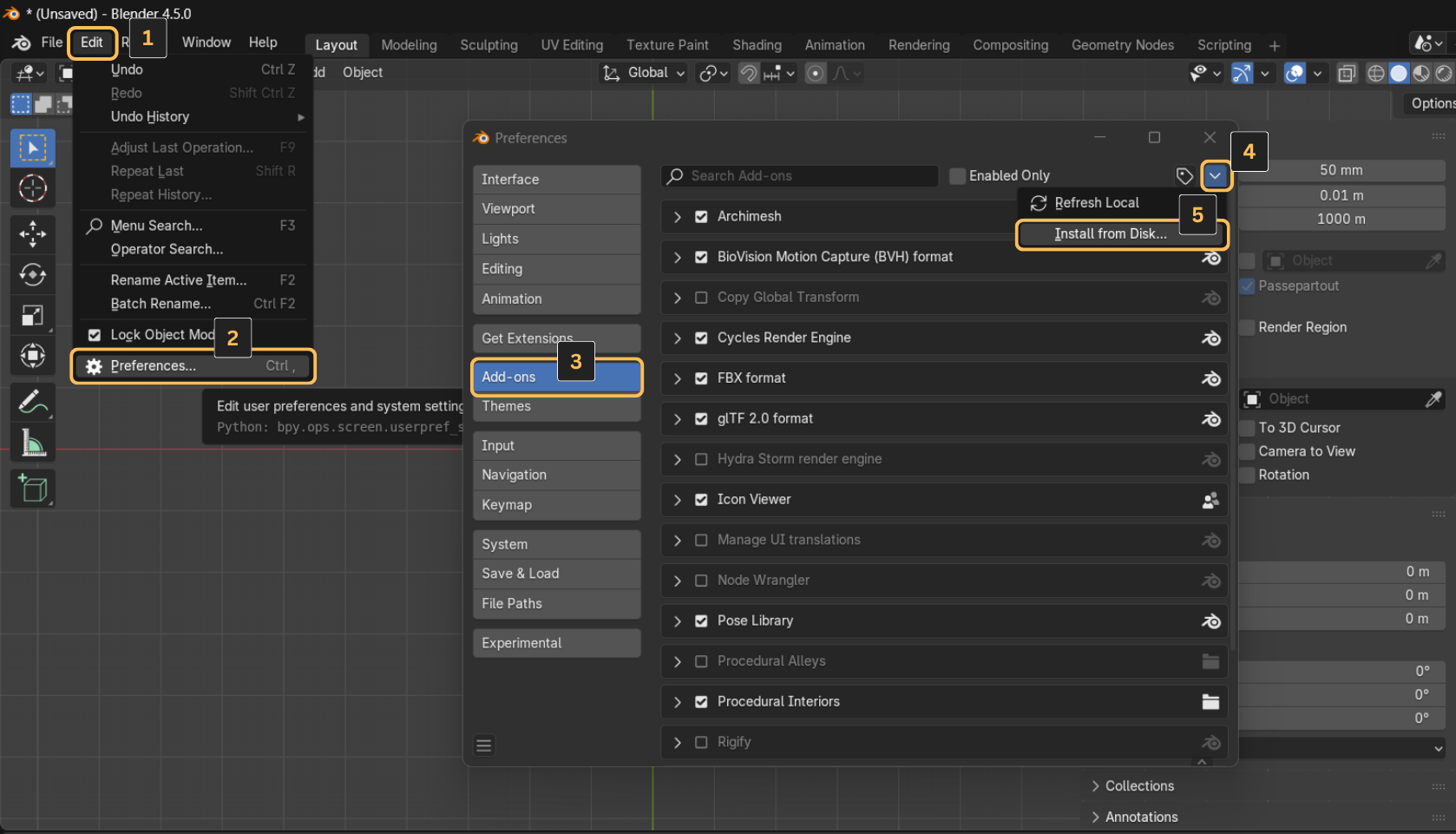
The add-on file is "Procedural Interiors v1.0.0.zip", so go to Blender and go to Edit > Preferences > Add-ons > Install…
Installation Steps
1. Open Blender Preferences
- Launch Blender (version 3.0 or higher)
- Go to Edit → Preferences (or Blender → Preferences on macOS)
- Click on the Add-ons tab
2. Install the Addon
- Click Install... button at the top
- Navigate to your downloaded ZIP file
- Select the ZIP file and click Install Add-on
3. Enable the Addon
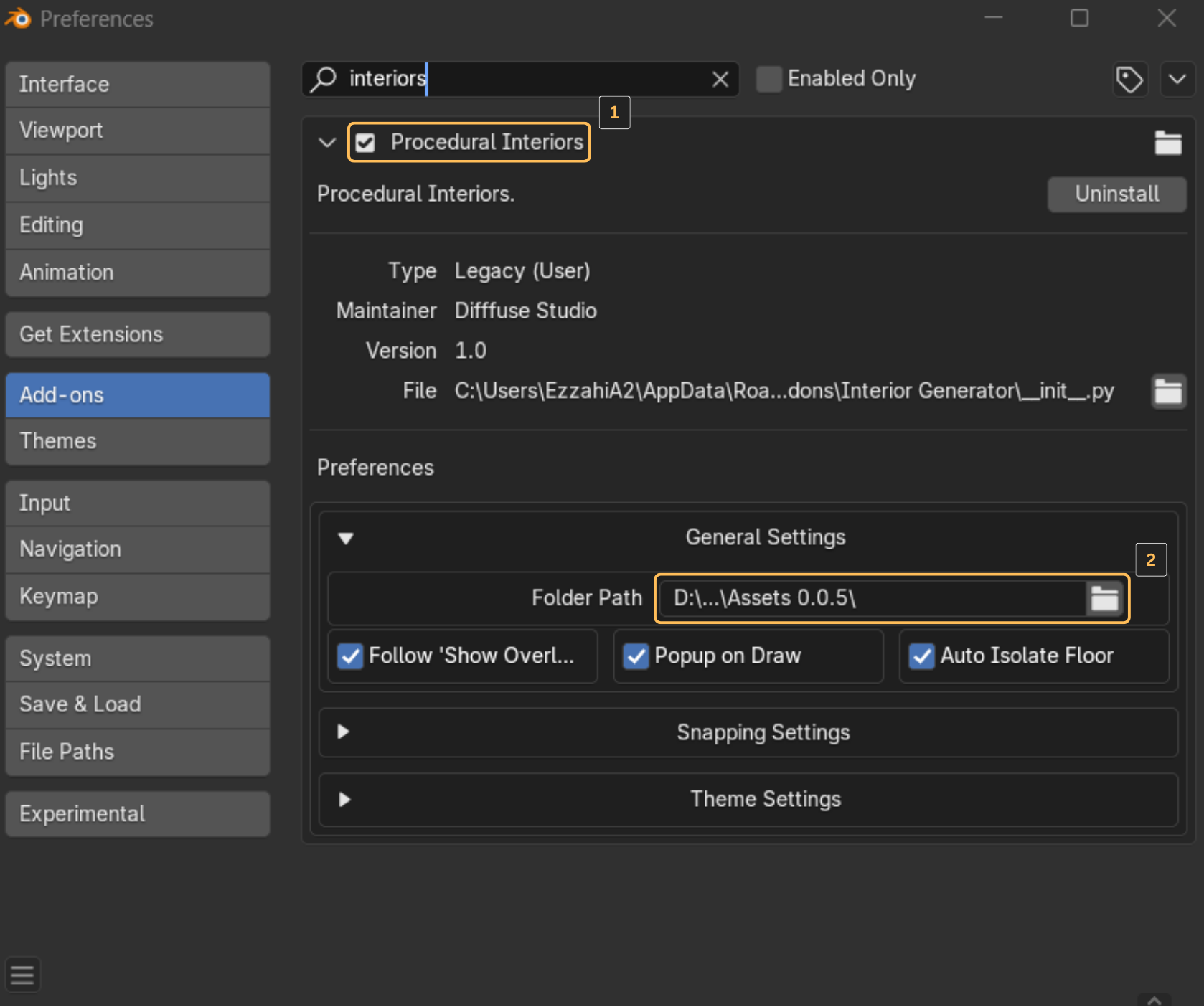
- Search for "Procedural Interiors" in the addon list
- Check the checkbox next to the addon name to enable it
- The addon should now appear in your Blender interface
Next Steps
Once installed, proceed to configure your preferences