Overlays
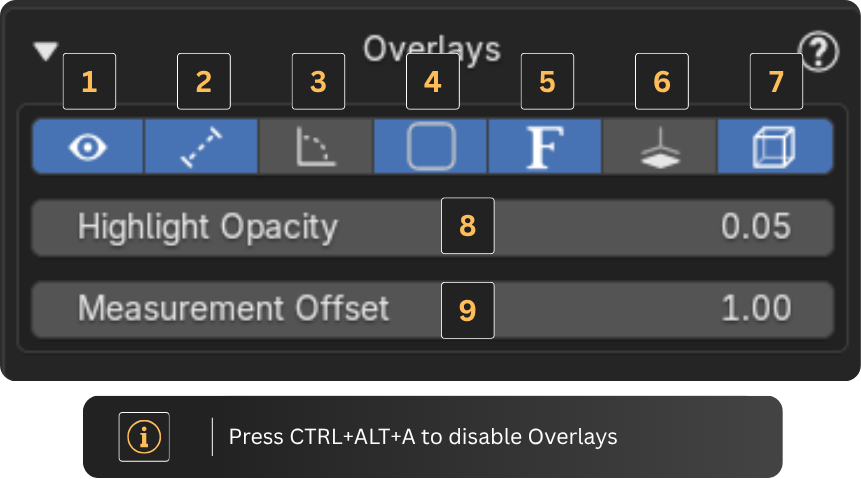
Overlay Controls
The top 7 buttons in this tab toggle specific overlays from the add-on:
- Show/hide all add-on overlays
- Measurements
- Angles
- Empty Areas (spaces not yet assigned to a room type)
- Labels (Surfaces & Room Designations)
- Highlight the selected floor
- Highlight subspaces (Rooms)
Additional Settings
The last two parameters (8 and 9) let you adjust:
- Overlay opacity
- Measurement offset
Tip: To quickly disable overlays you can use the shortcut Ctrl+Alt+A