Windows
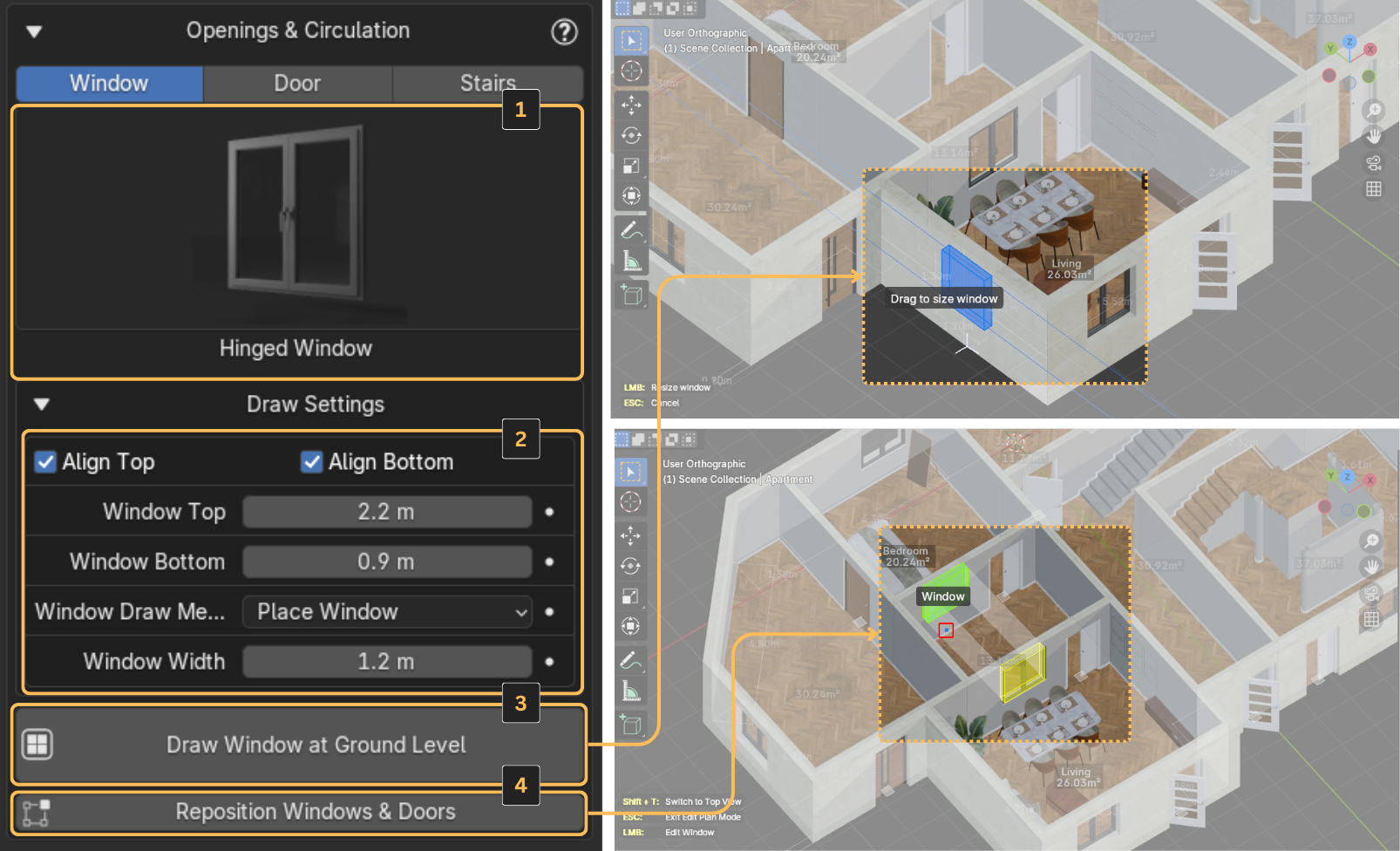
You can choose between hinged windows, Fixed or sliding windows by clicking the window icon (1).
Window Settings
Expand Draw Settings to view the available parameters (2). For windows, you can choose between two placement methods:
Placement Methods
-
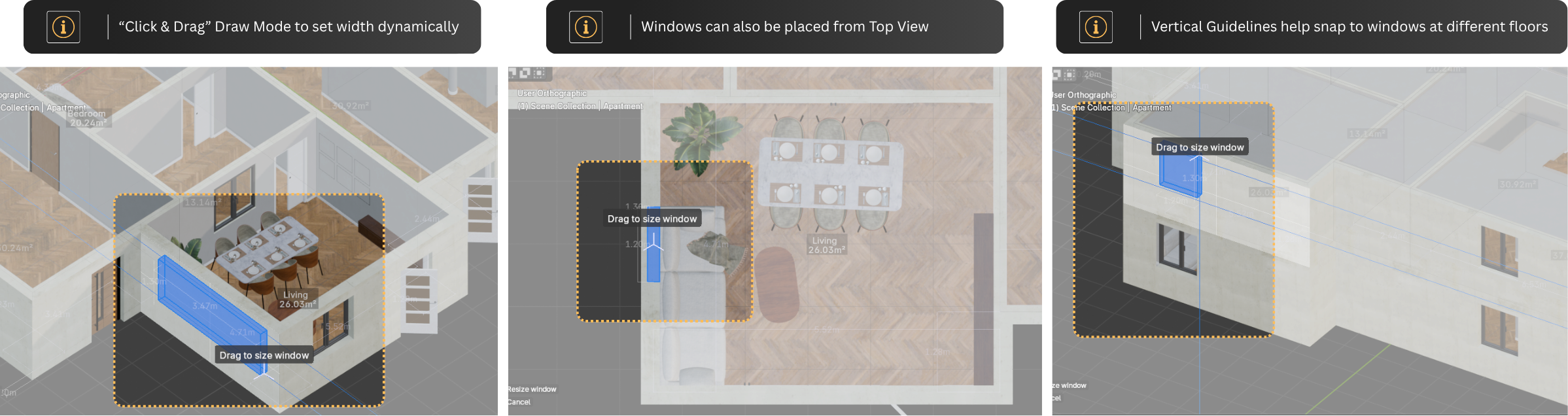
Click and Drag - Draw the window directly on the wall by defining a rectangle
- The Align Top and Align Bottom checkboxes, along with the Window Top and Window Bottom parameters, allow you to set specific positions for the top and bottom edges
- This helps keep all your windows consistent in size
-
Place Window - Set the width in advance, then simply click on a wall to place a window with those dimensions
Controls
Just like with the elements in the Structure section, you can use the Draw and Reposition buttons to place or move the windows (3 and 4).